BlogOctober 14, 2026Design systems are becoming the instructions for AI
Why tokens and well named components matter more now that AI writes a lot of UI code 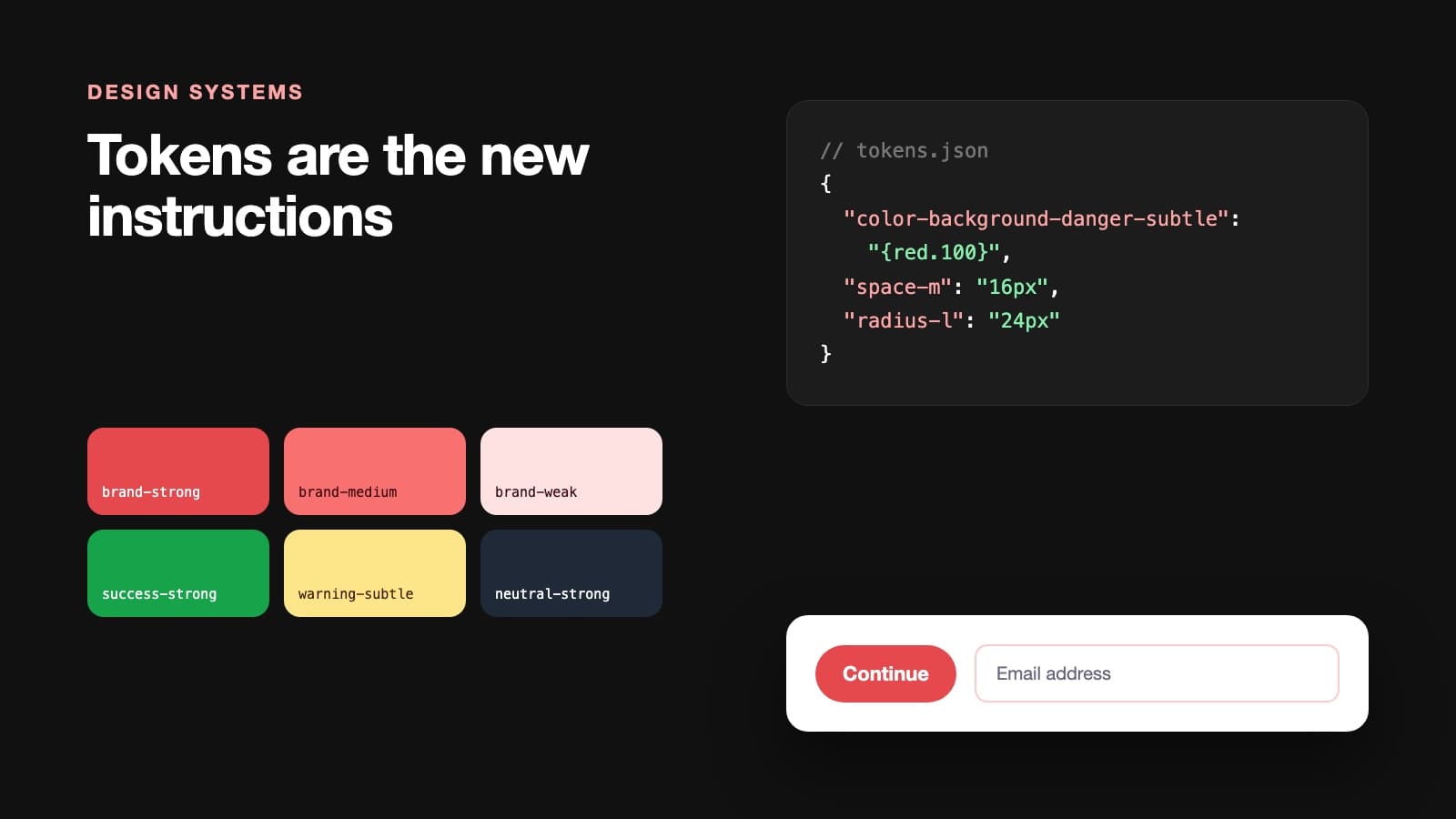
What I am building
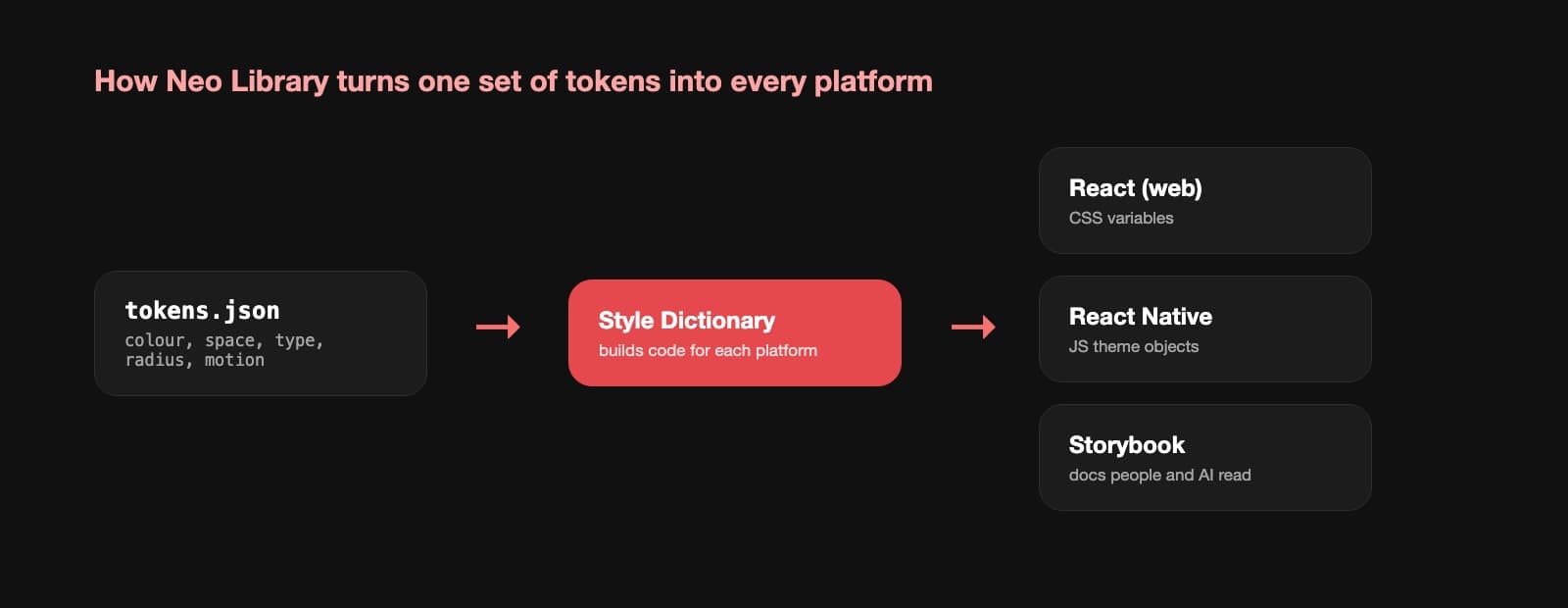
At MTN I work on Neo Library, a design system for React and React Native. The core of it is design tokens. Colours, spacing, type sizes, radius and motion are all stored once and then turned into code for each platform using Style Dictionary. Components only use tokens, never raw values. Every component has a Storybook page that shows how it should be used and how it should not.
Building it this way also made the components much faster than the framework based ones the team used before, about 18 times faster in my tests. That was a nice surprise. But the bigger win has been how well it works with AI.
Why AI likes a good design system
When I ask an AI assistant to build a screen, it looks at the code around it to decide what to write. Three things make a big difference to the result.
Names that explain themselves. A token called color-background-danger-subtle tells the AI exactly when to use it. A token called red-100 does not. The more meaning you put in the name, the fewer wrong guesses you get.
One way to do each thing. If there are three different card components in the codebase, the AI will pick one at random. If there is one card with clear options, it picks that one every time. Deleting old components has become one of the most useful things I do.
Examples next to the code. Storybook stories, usage notes and short code comments are read by the AI as well as by people. A line that says "use this for destructive actions only" stops a lot of mistakes before they happen.
What still needs a person
AI can follow a system. It cannot decide what the system should be. Choosing how much contrast is enough, how a component should behave for someone using a screen reader, or when a new pattern is really needed are still design decisions. They depend on knowing the users, the brand and the business.
I also check everything the AI produces. It will happily use the right token in the wrong place, and the result looks fine in a screenshot but feels off in use. Reviewing generated code against the system is now a normal part of my week.
If you are starting one today
- Start with tokens before components. Get the names right early, because they are hard to change later.
- Write usage notes as if a new junior developer will read them. An AI reads them in much the same way.
- Remove duplicates as you go. Every extra option is a chance for a person or a tool to choose the wrong one.
- Treat your documentation as part of the product, not a task for the end.
A design system used to be about consistency. Now it is also about control. It is how you make sure that the code written by people and by AI still feels like one product.