Overview
MetaPOS is a point of sale system for small businesses, mainly spaza shops in rural areas. Shop owners use it to manage stock, take card payments, sell vouchers and airtime, and scan barcodes. It also comes with a large database of products that are already loaded with their barcodes, so owners don't have to capture everything themselves. I worked on both the design and the build, from the cashier app on Android to the web dashboard owners use to run their shop.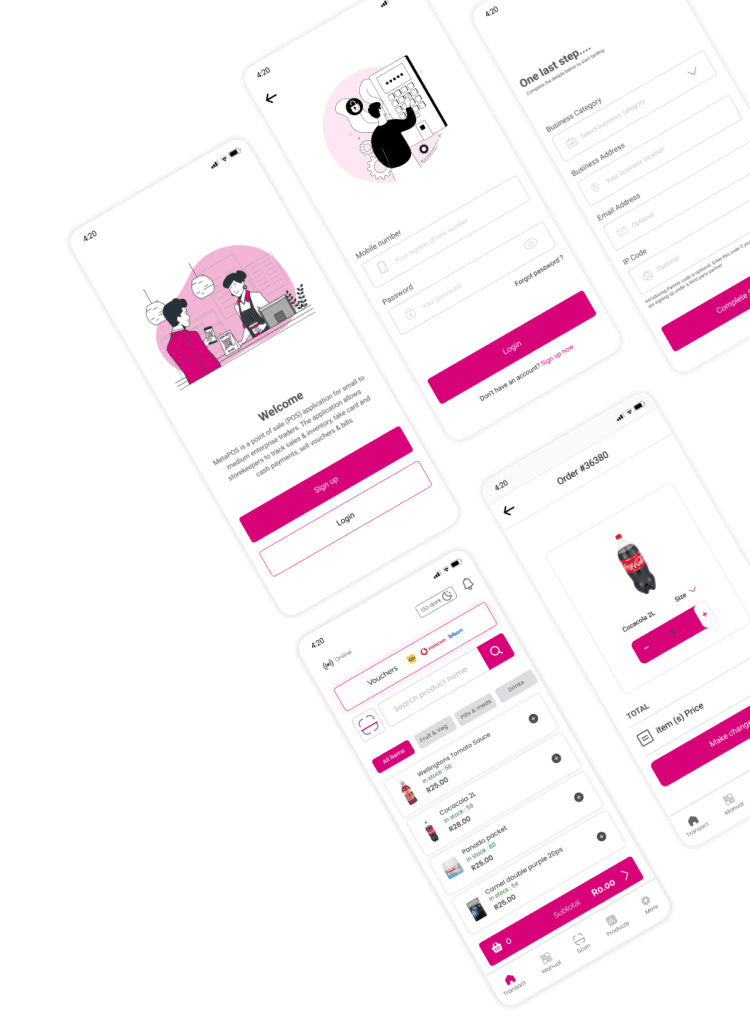
RoleProduct Designer and Android Developer
ClientsKellogg's, MetaPOS
Integration partnersMTN, AddPay, RA Cellular
PlatformsAndroid POS, mobile and web dashboard
StackKotlin, Java, React
The problem
Most spaza shop owners I spoke to kept their records on paper. They used cheap phones, and their internet connection came and went. This made it hard to keep track of stock and staff. The biggest problem was card payments. If the network was down, the customer couldn't pay by card, and the shop lost the sale.The question I had to answerHow can shop owners take payments when the network is down, on a cheap phone, in an app they can use even if English isn't their first language?
My role
I was the product designer on the mobile and web POS, and I also worked on the Android app as a developer. I redesigned the apps and the dashboard with security and ease of use in mind. Each role (owner, cashier, admin) only sees what it needs to see. I also worked with MTN, AddPay and RA Cellular to bring their services into the app safely, which meant agreeing on how login, data protection and compliance would work on both sides.Design process

01. EmpathiseI visited shops and interviewed owners in rural areas. Three problems kept coming up: card payments failing when the internet dropped, stock and staff tracked on paper, and an app language many owners weren't comfortable with.
02. DefineI turned that into two questions. How do owners take payments with a bad connection? And how do I build a POS that runs on a cheap phone and is easy to use whatever your reading level?
03. IdeateWorking with stakeholders, I settled on three ideas. Transactions would work offline and sync once the connection came back. The app would run well on phones with little memory. And the screens would use icons wherever possible so people rely less on text.
04. Prototype and testI built a sales flow that simulated online and offline card payments on a low end Android phone, and a simple dashboard. When I tested with shop owners, offline payments were the feature they cared about most, and the icons worked well for people who don't speak English.
Business challenges

Small early customer baseIn the early rollout, only a few shops were using the system, so transaction revenue was low.
Little market dataThere was very little reliable data on spaza shops. No one knew where they were, how big they were or what they sold, which made it hard to plan features and a sales strategy.
Language barriersMany owners don't speak English as a first language, which made communication and onboarding harder.
Hardware limitsMost shops use cheap phones with little storage and processing power, so the app had to stay light without losing the features people needed.
Who I designed for
Thabo M., 35Spaza shop owner
Thabo runs a small shop in a rural township. He mostly uses his phone for WhatsApp and calls. He tracks stock and sales in a notebook, and because his internet is unreliable he often can't take card payments.Needs: card payments that work offline, a way to track stock and staff, and extra income from vouchers and airtime. The app has to be light and easy to use with icons.Anele S., 24Cashier
Anele works the till at a busy shop and is comfortable with smartphones. At peak times she has a queue of customers paying in different ways, and she can't afford mistakes.Needs: a fast checkout, clear prompts, accurate sales, and access to sales history and vouchers without having to ask the owner.Naledi K., 30MetaPOS admin
Naledi signs up new shops, keeps an eye on how the system is running and helps users when they get stuck. She is good with dashboards, but finds it hard to see which shops are actually using the system and what different regions need.Needs: live sales, stock and user activity so she can spot trends, pull reports and give shops the right support.Flow 1: User access management
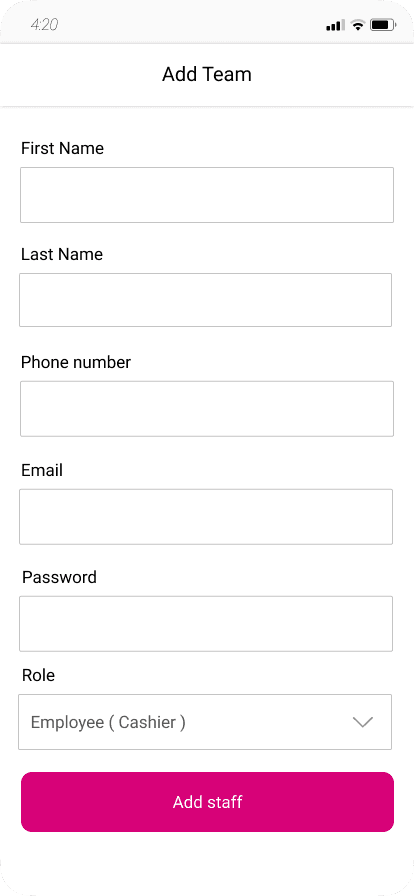
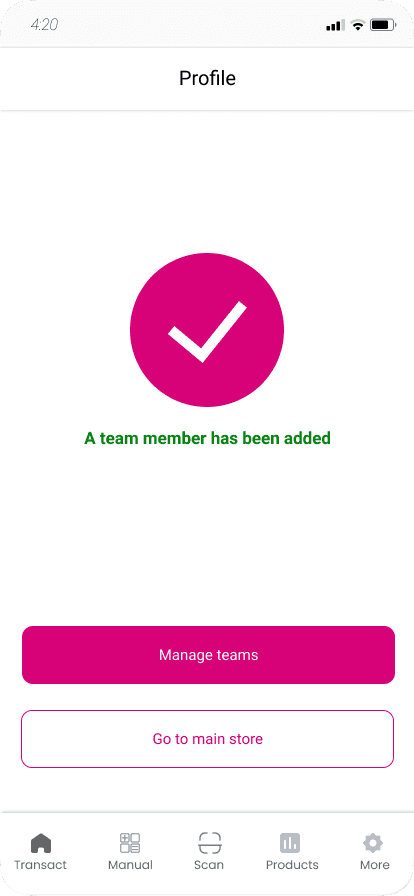
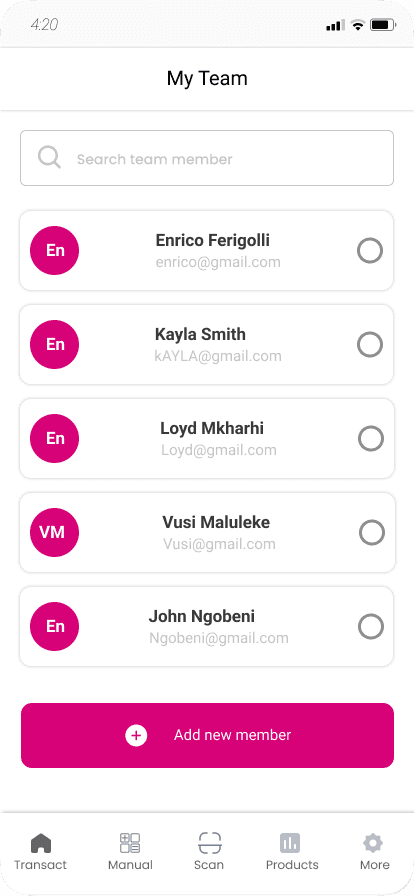
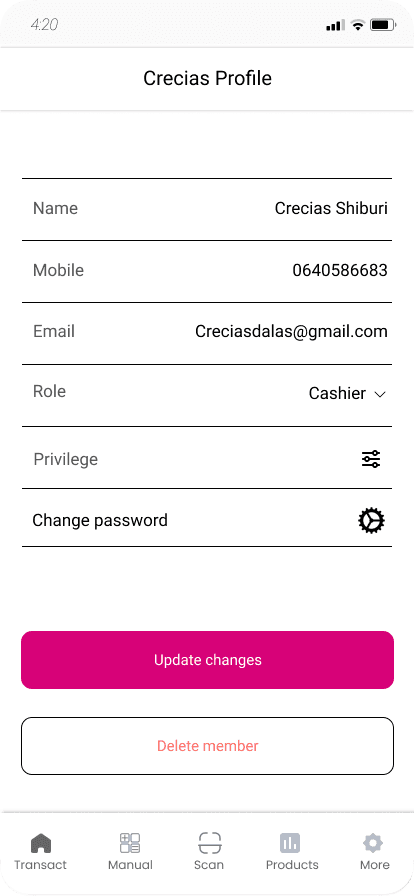
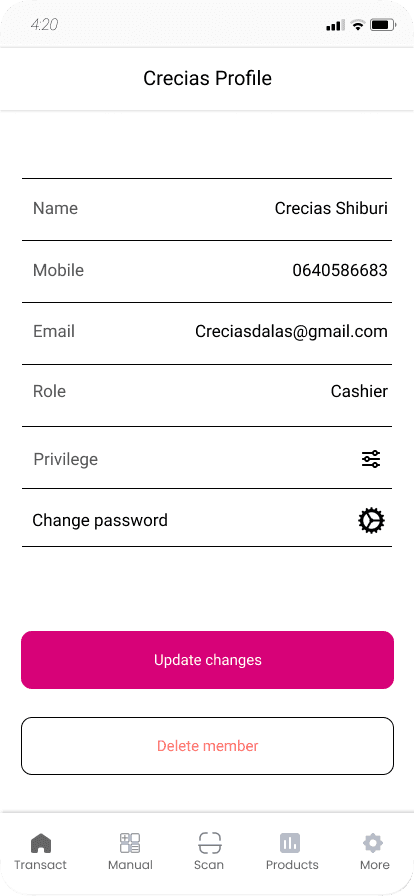
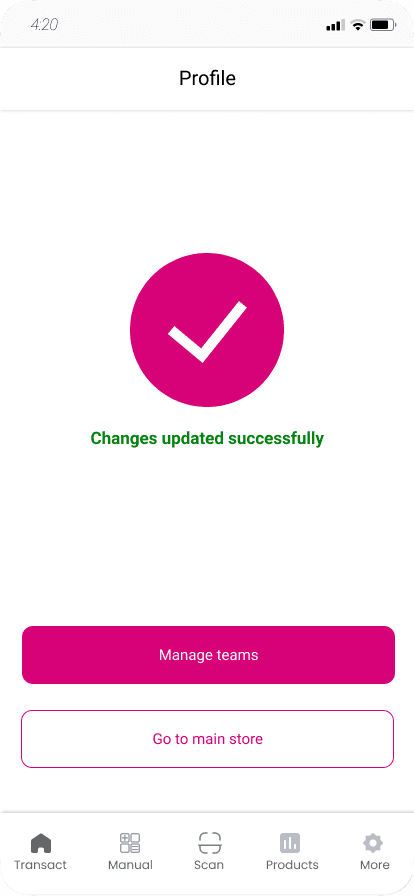
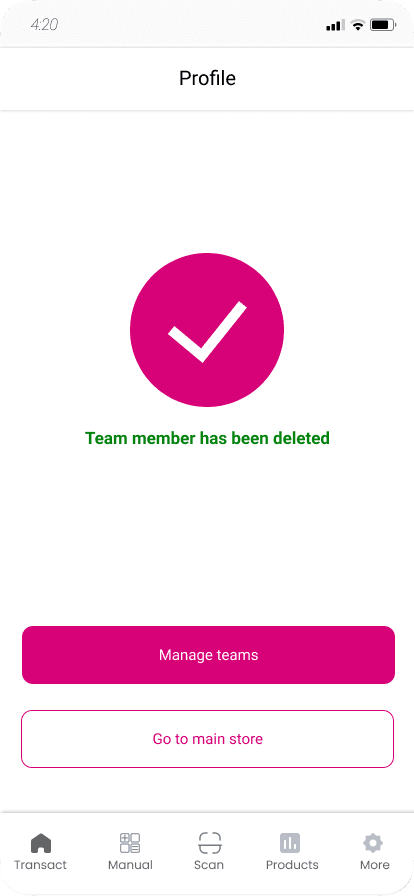
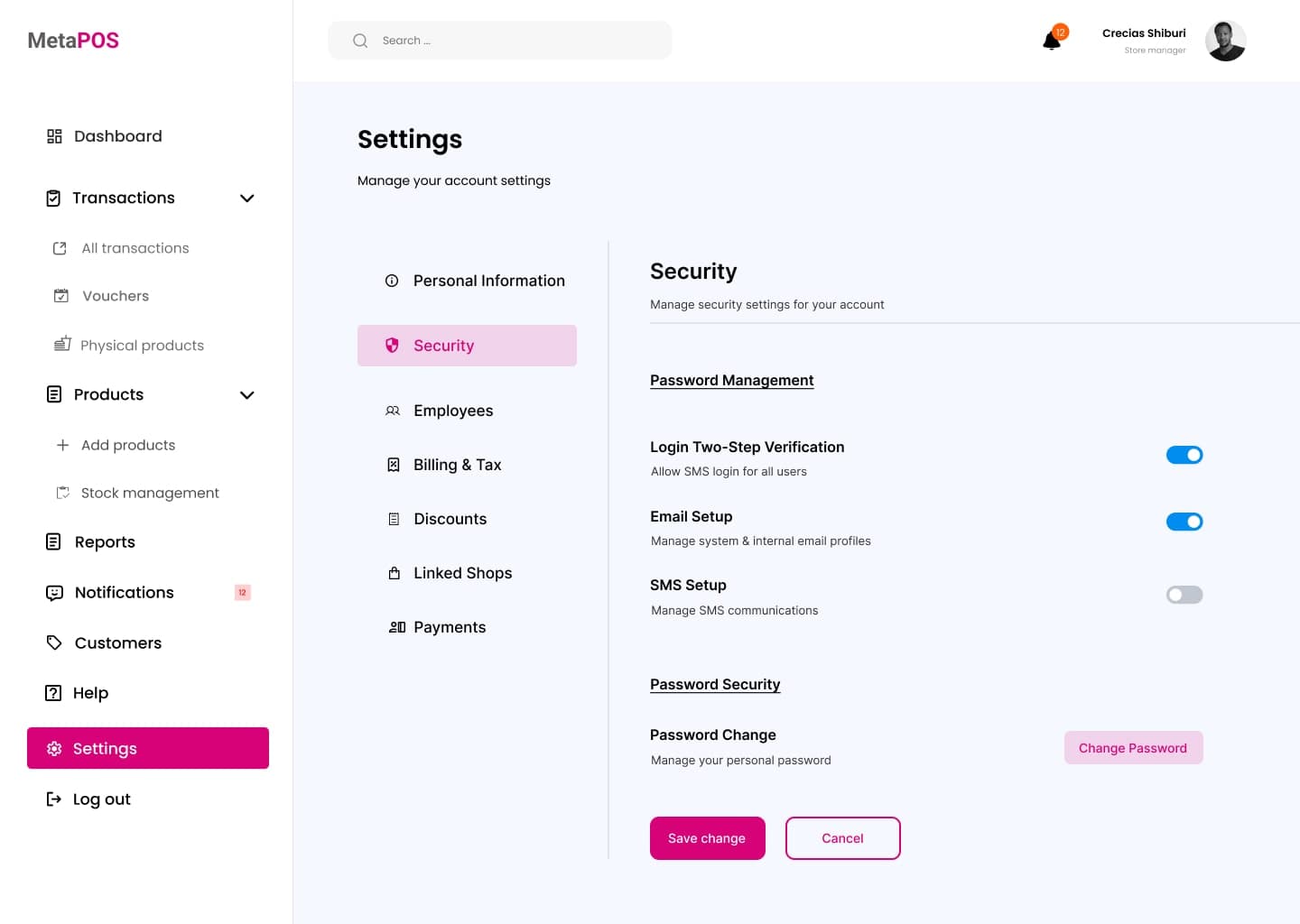
The shop owner has full access to the app. To add a cashier, they go to Users, tap Add User, and fill in the person's name, contact details and role. The cashier can then log in, but only with the permissions the owner gave them. The owner can open any staff member's profile to see their sales, update their details or remove them.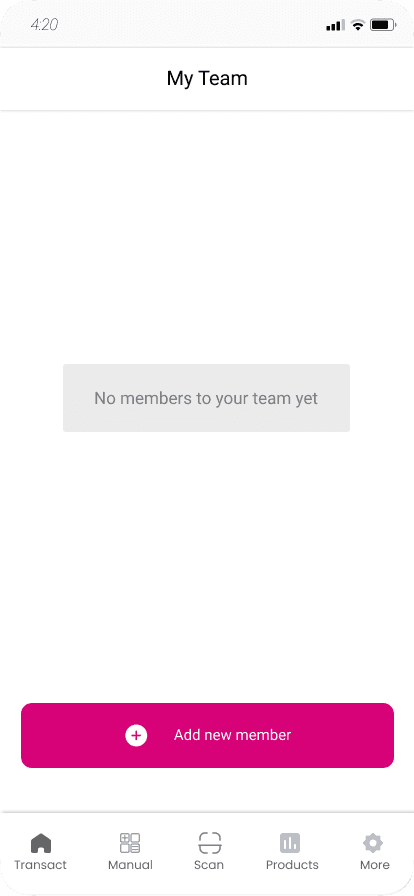
Flow 2: Cashier sales
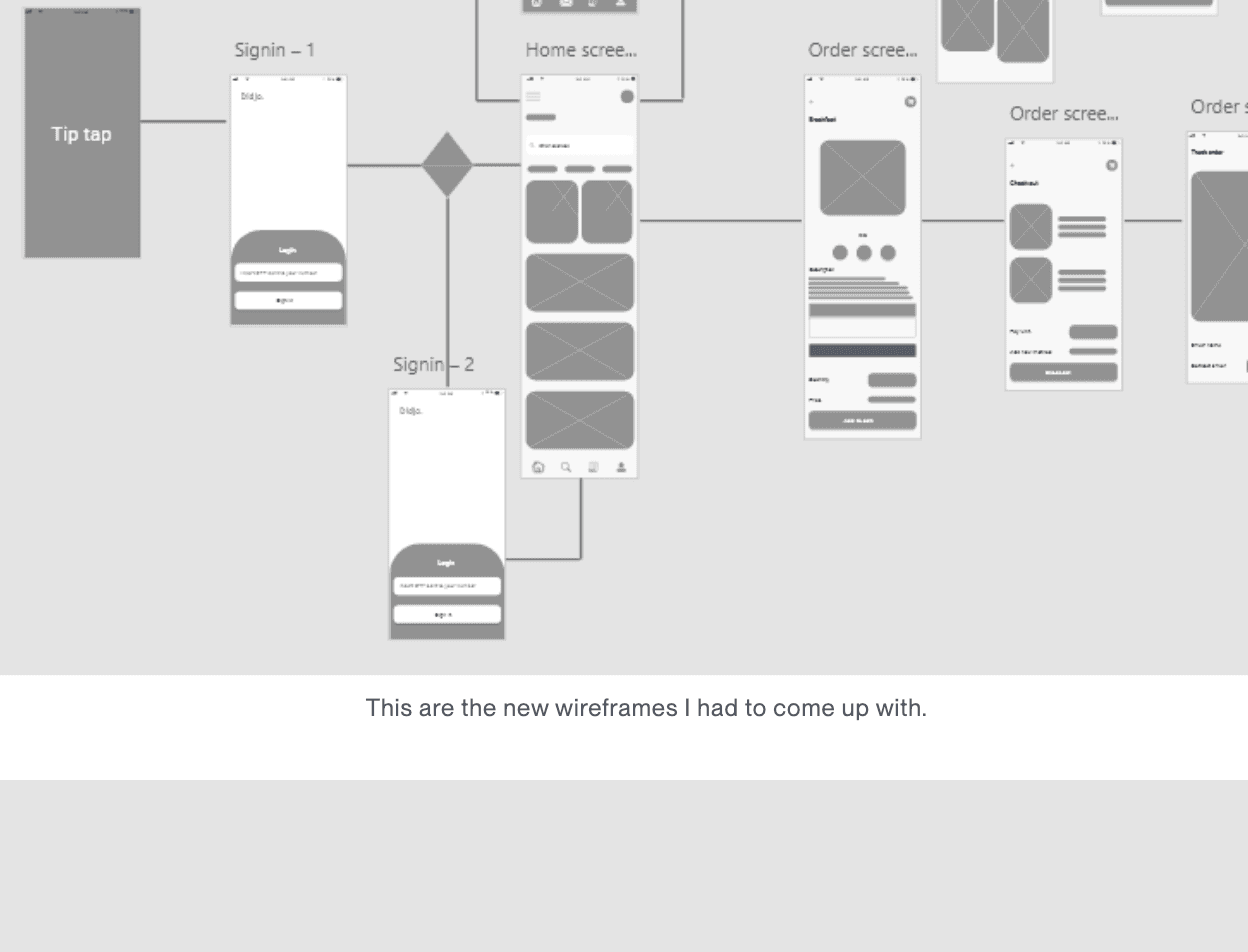
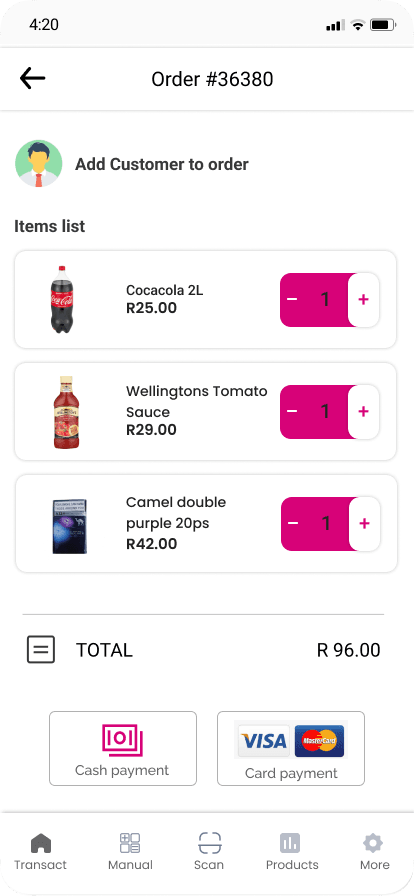
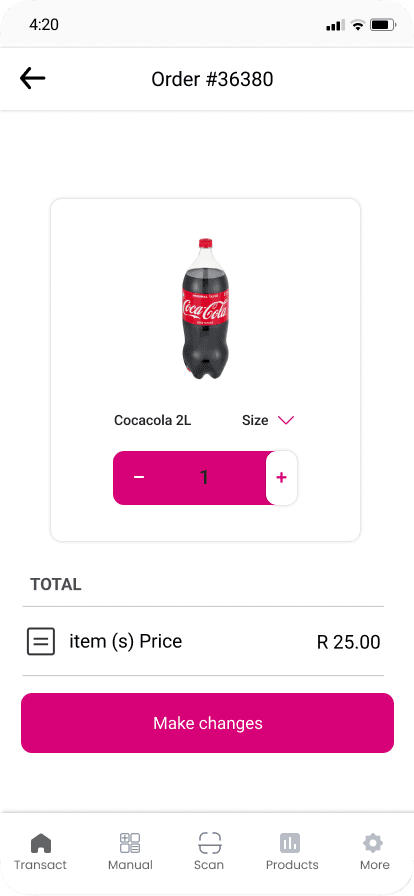
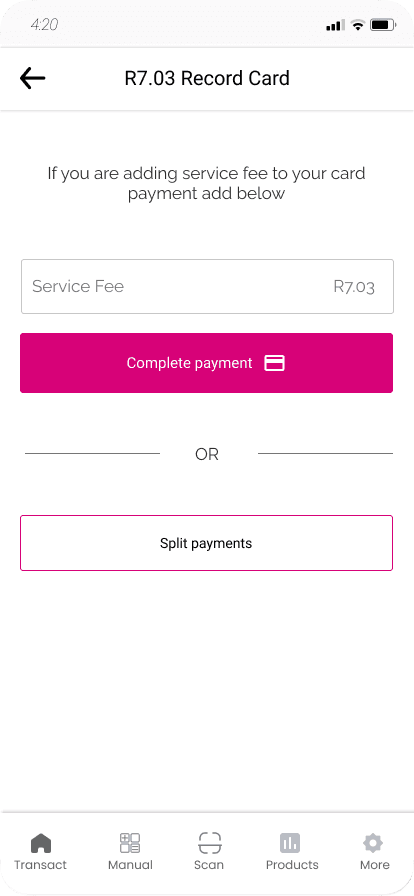
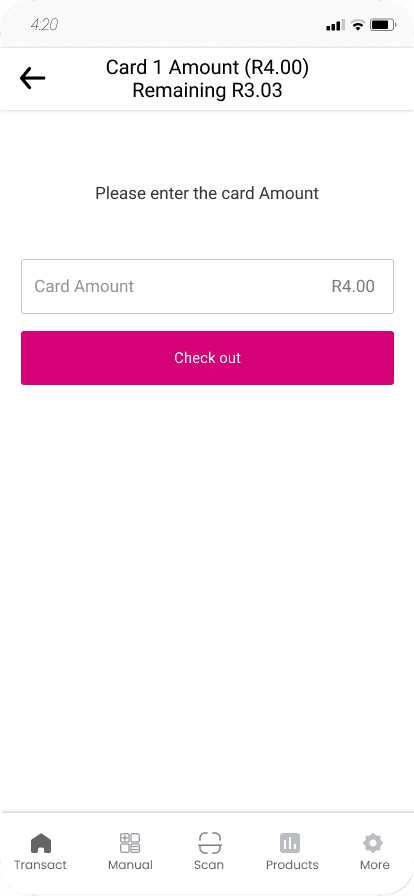
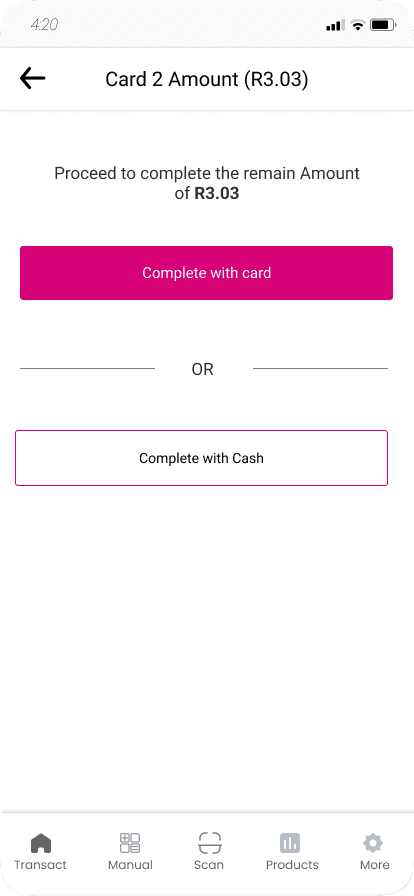
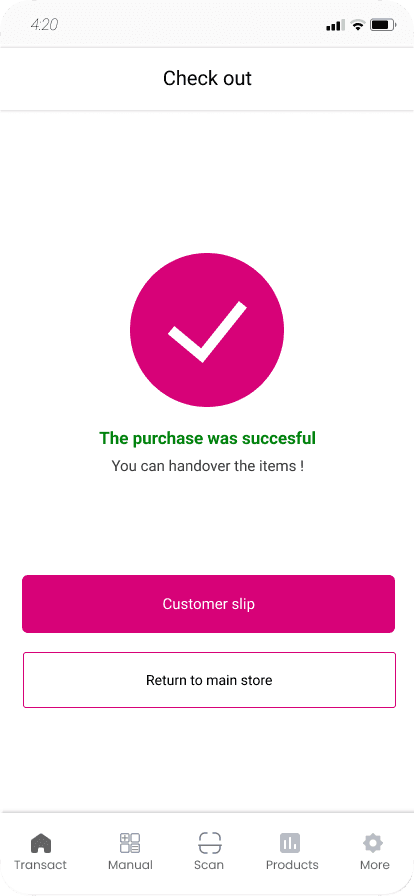
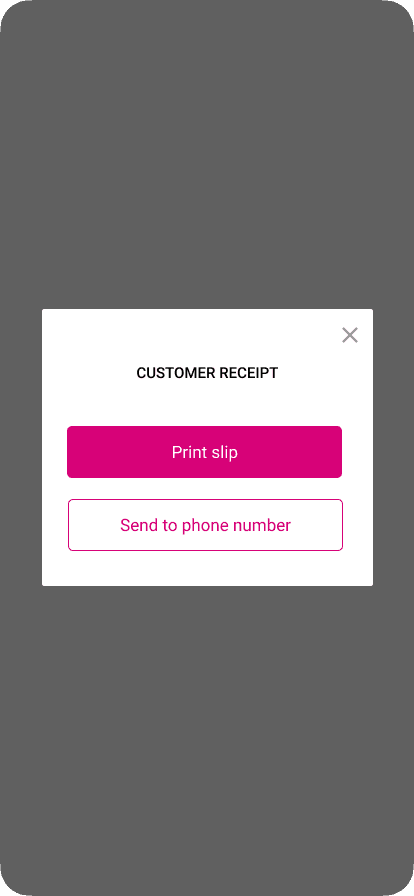
When a cashier logs in, they see a home screen with all the products, which they can search or filter by category. They tap products to add them to the cart. In the cart they can change quantities, remove items or add a customer to the order. Then they tap Next to choose how the customer will pay. The customer can pay with cash, with a card on the POS device, or by tapping their card on a phone. A payment can be split over more than one card, or partly paid in cash. The app works out the change and lets the cashier add a service fee or tip. At the end, the cashier can print the receipt or send it to the customer's phone. All of this works even when there is no network.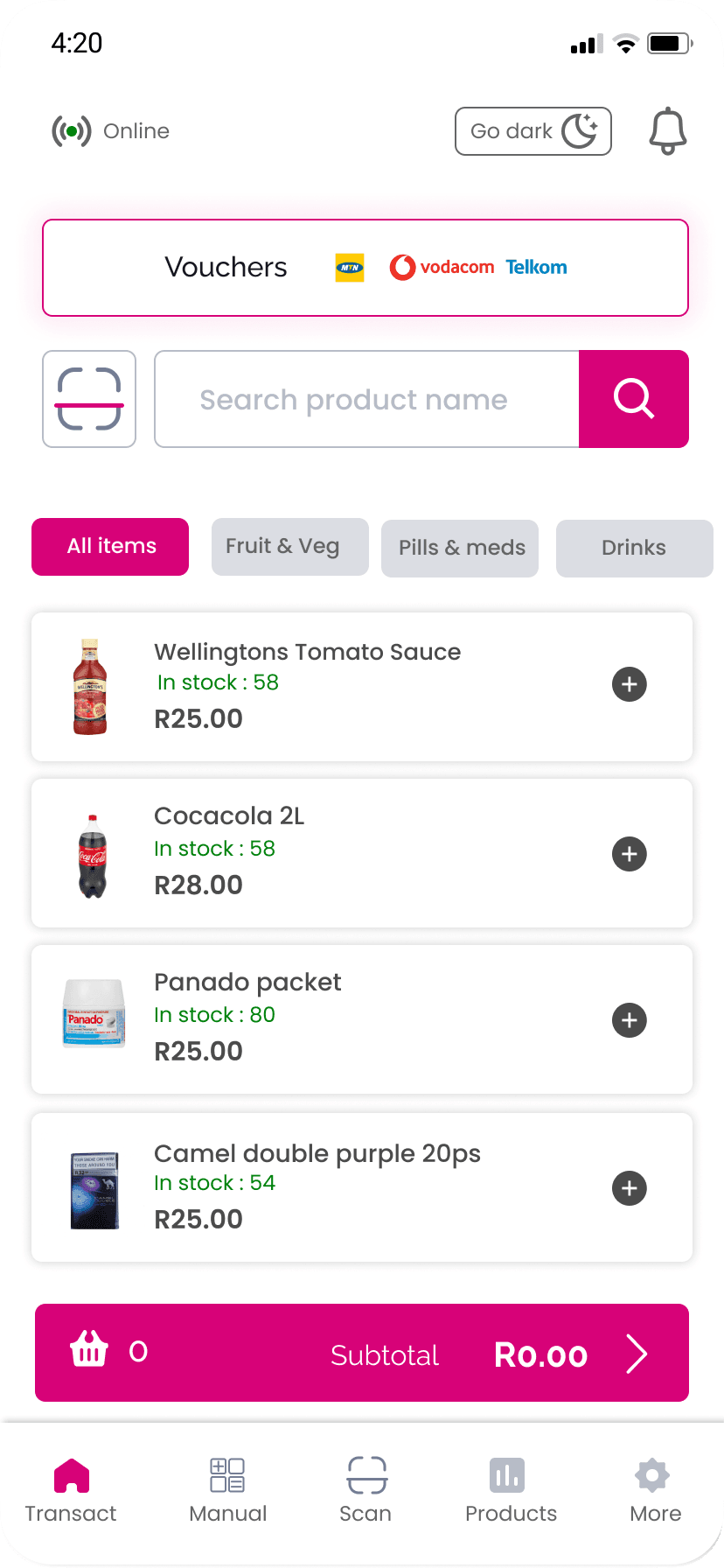
Flow 3: Owner dashboard
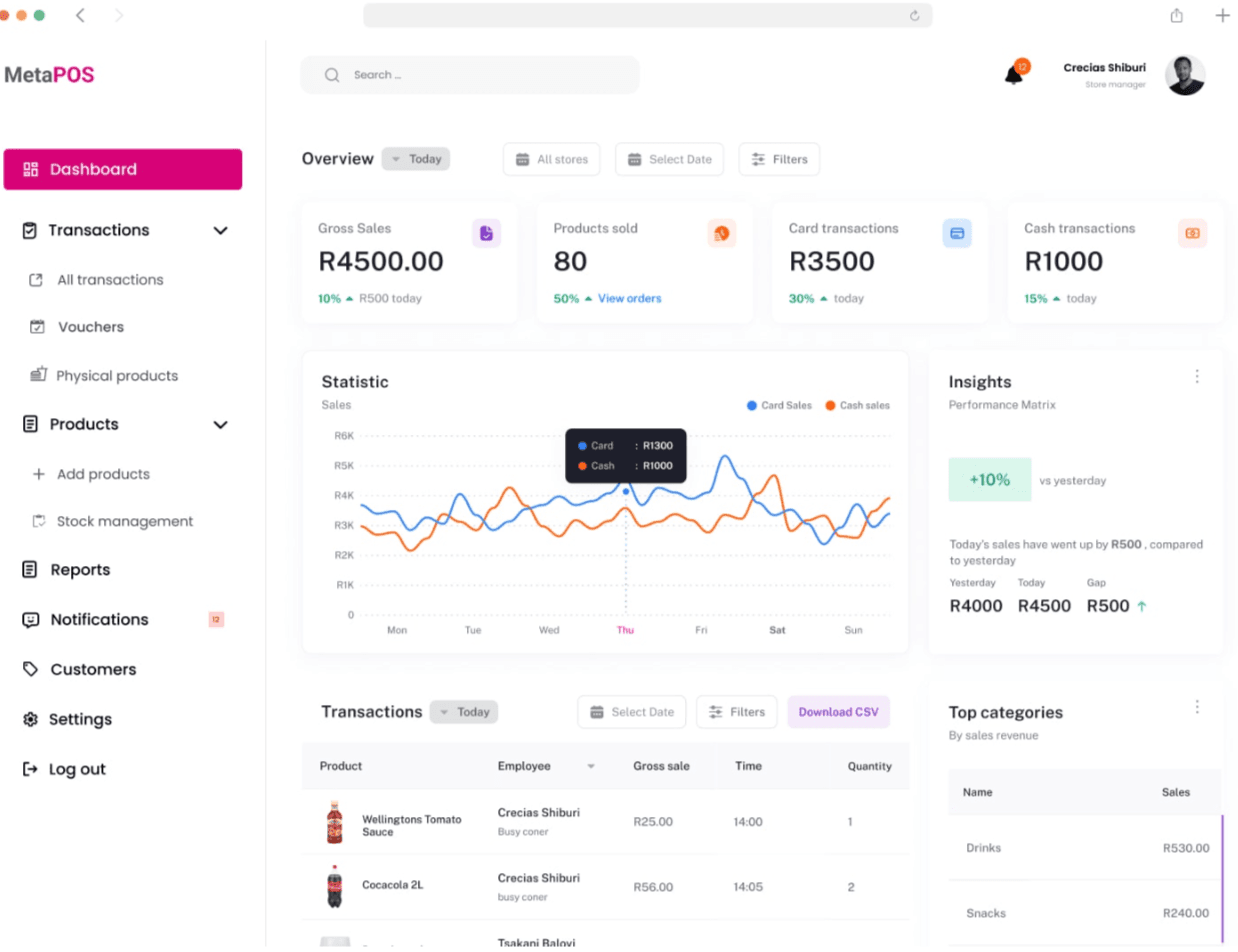
The web dashboard is where owners run the business. They can see sales as they happen, compare days, weeks and months, and check which products sell best. The stock view shows what is running low so they can reorder in time. Owners can also see how much each cashier sells, which helps them decide who needs training and who deserves a reward. Voucher sales and promotions have their own reports. I kept the charts simple and the navigation short, because many owners don't have much experience with this kind of software.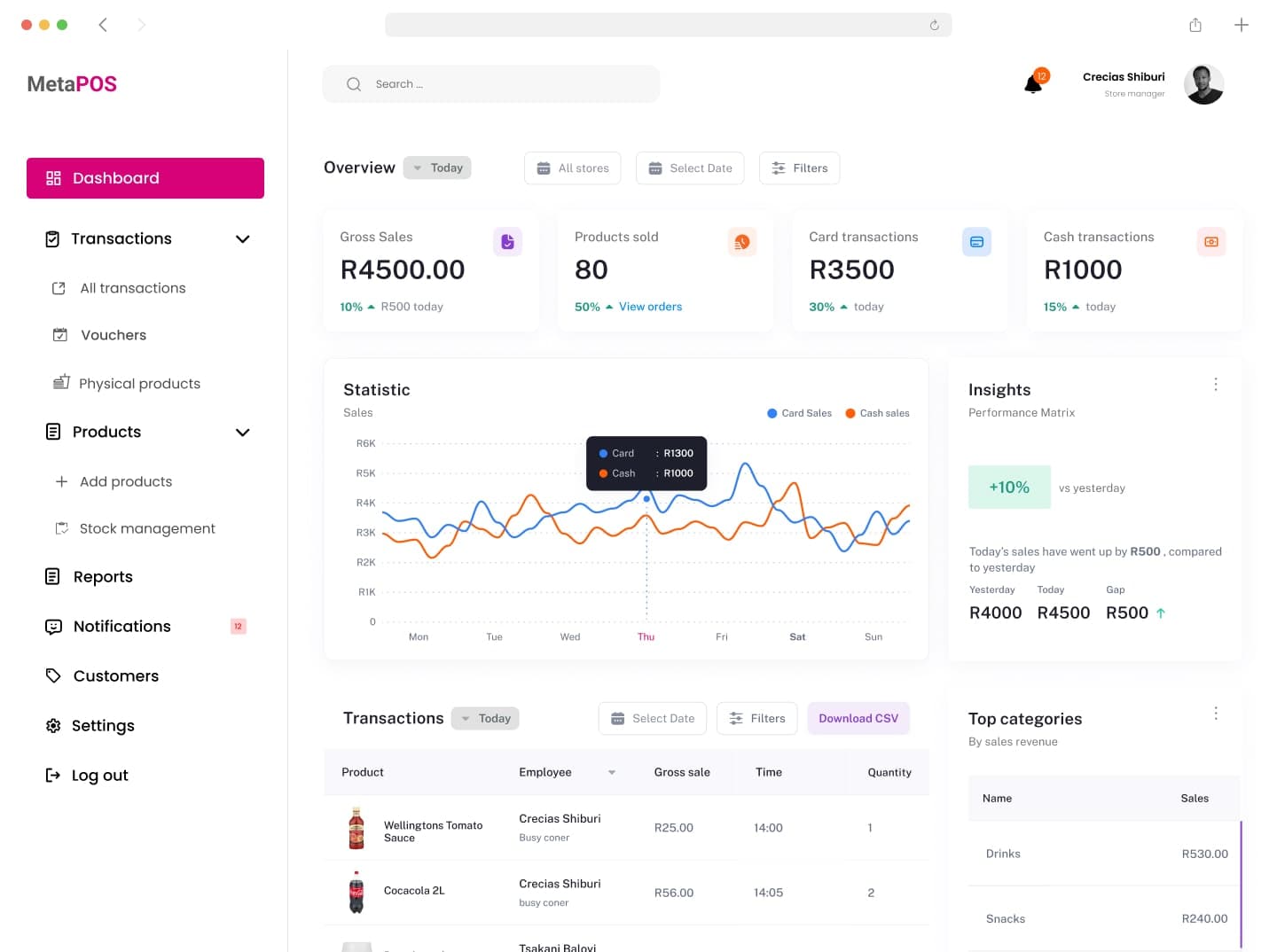
Outcome
Testing with shop owners showed that offline payments solved one of the main reasons they hadn't gone digital yet, and the icons made the app usable for people who struggle with reading or with English. MetaPOS runs on cheap phones, keeps working without a network, and gives owners, cashiers and admins access to only what they need.Skills & deliverables
- User research and personas
- UI design for Android POS, mobile and web
- Android development in Kotlin and Java
- React web dashboard
- Role based access control and secure partner integrations